Segmentation
Target the exact customers you want
Build segments from any attribute or behavior in your store, combine conditions exactly how you want, and reach precisely the right customers across every campaign and flow.
Stack filters for real precision
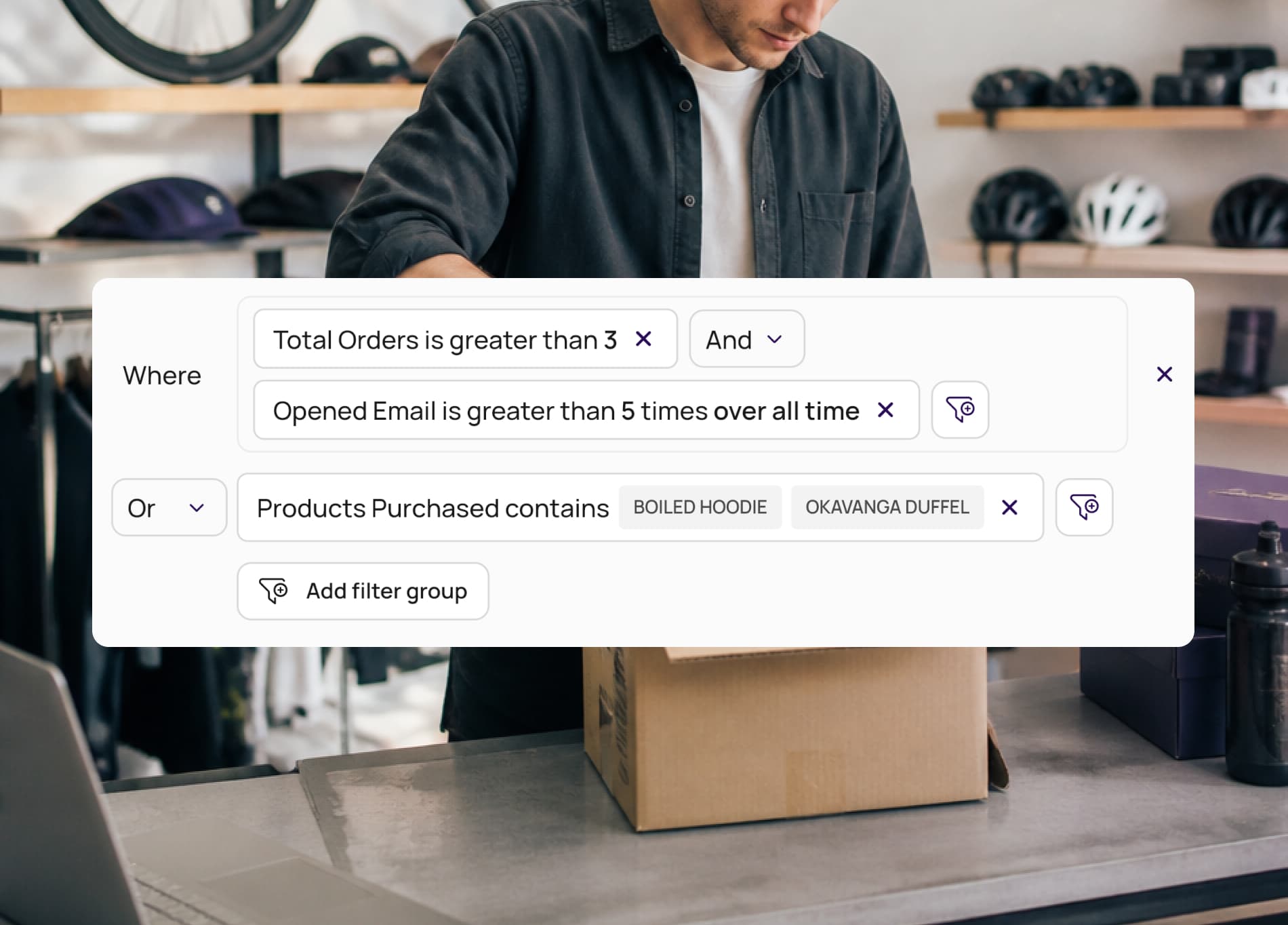
Every filter reads like a sentence: a field, an operator, and a value. Six operator profiles cover text, numbers, dates, lists, predefined options, and behavior, so you can get as specific as you need.
- Six operator profiles, from text to dates to behavior
- Filter groups combine conditions with AND and OR
- Custom fields let you store and target your own data
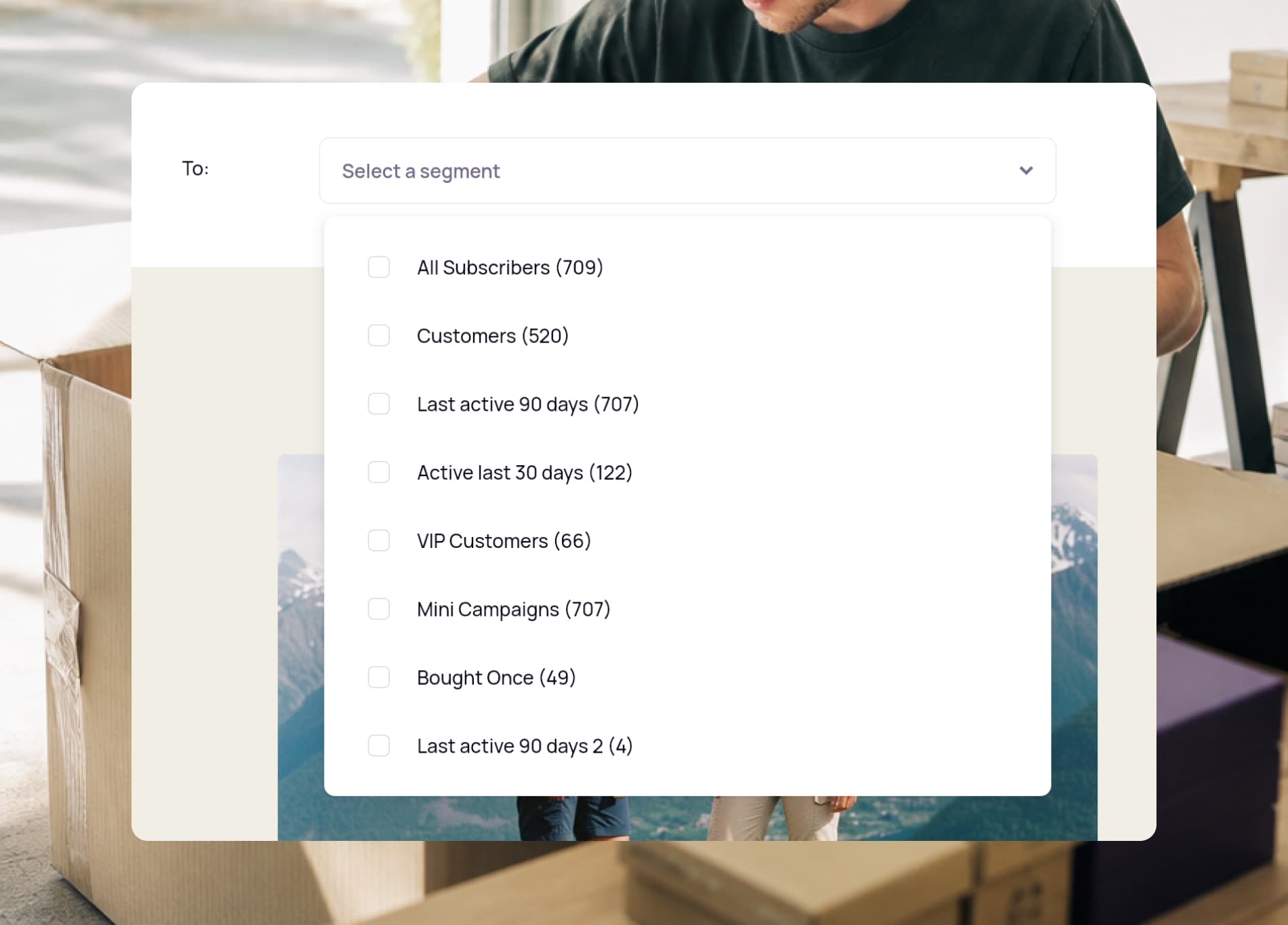
- See each segment's live size as you build it
Target what customers actually do
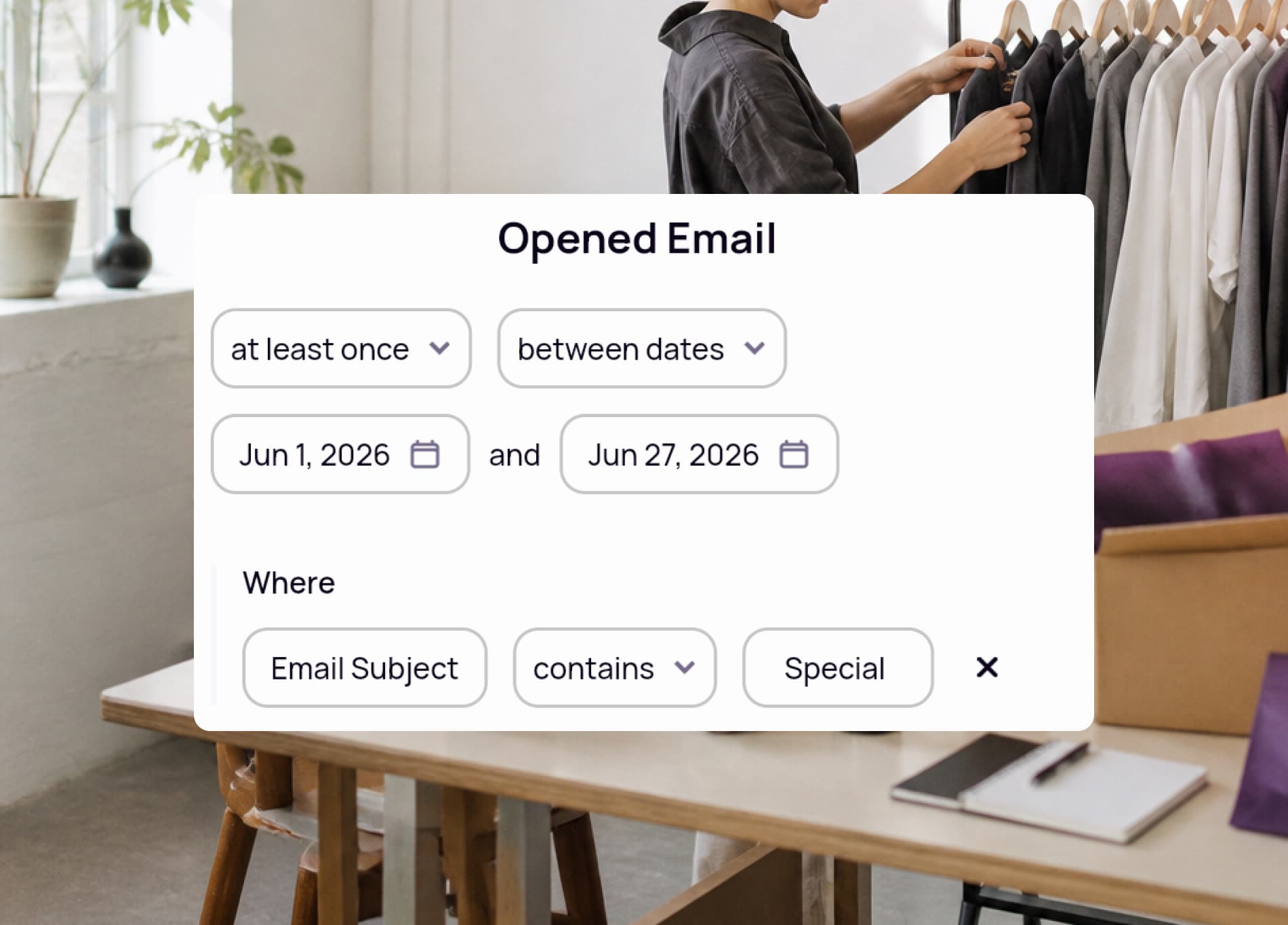
Behavioral filters look at events over time: how often someone bought, opened, clicked, or viewed a product, and within what window. Narrow it further with conditions like a specific subject line or product tag.
- Frequency and timeframe on any behavior
- Narrow by subject line, URL, product price, or tags
- Activate the same segment on email and SMS


Frequently asked questions
- What is a segment in Spoks?
- A segment is a group of contacts that match conditions you set, such as shared attributes, behavior, or consent status. Save it once and reuse it across any campaign or flow without rebuilding the conditions.
- How precise can my targeting get?
- Very. Filters use six operator profiles covering text, numbers, dates, lists, predefined values, and behavior. You combine them with filter groups, where conditions in a group use AND and separate groups use OR.
- Can I segment on customer behavior?
- Yes. Behavioral filters match on how often an event happened and in what timeframe, such as opened an email at least once over all time, and can be narrowed further by subject line, URL, product price, or tags.
- Can I use my own custom data?
- Yes. Custom fields let you store unique data points on your contacts and use them in filters, so you can target on information that is specific to your store.
Ready to make the switch?
Join hundreds of Shopify entrepreneurs who've already made Spoks their go-to marketing platform.