Shopify Email Marketing: The Complete Guide for 2026
The complete 2026 guide to Shopify email marketing — essential flows, list building, segmentation, SMS, and how to measure what actually drives revenue.
Why Email Marketing Matters for Shopify Stores
Shopify email marketing is the single highest-ROI channel available to e-commerce store owners. Study after study confirms it: email generates between $36 and $42 for every $1 spent in e-commerce, depending on the industry and how well your program is optimized. No other channel — not paid social, not influencer marketing, not even SEO — comes close to that return on a per-dollar basis.
Beyond raw ROI, email gives you something no rented platform can: ownership. Your Instagram followers live on Meta's servers. Your TikTok audience can vanish with an algorithm change. But your email list belongs to you. It travels with you across platforms, survives algorithm shifts, and compounds in value over time. For Shopify stores specifically, email typically drives 25-40% of total revenue when properly implemented — and that number only grows as your list matures.
The challenge isn't whether email marketing works for Shopify. It's doing it well. Most stores leave enormous revenue on the table because they skip essential automations, segment poorly, or never get past the "send a newsletter every two weeks" phase. This guide covers everything: the flows you absolutely need, how to build your list, segmentation strategies that actually move revenue, and the advanced tactics that separate stores doing $10K/month from those doing $100K+.
The 5 Essential Email Flows Every Shopify Store Needs
Before you write a single newsletter, before you think about segmentation or A/B testing, set up these five automated flows. They run in the background, generate revenue around the clock, and account for the majority of email-driven revenue for most Shopify stores.
1. Welcome Series
Your welcome series is the first impression every new subscriber gets. It sets expectations, builds trust, and nudges people toward their first purchase. A well-built welcome series converts 2-5% of new subscribers into buyers within the first week.
Here's a proven 3-email welcome sequence:
Email 1 — Immediate (within 5 minutes of signup): Deliver whatever you promised (discount code, free shipping, guide download). Keep it short. Include your best-selling products or a clear "Shop Now" CTA. Subject line should reference the offer: "Your 10% off code is inside."
Email 2 — Day 2 (24-48 hours later): Tell your brand story. Why did you start the store? What makes your products different? Include social proof: customer reviews, press mentions, user-generated content. This email builds trust and differentiation.
Email 3 — Day 4 (72-96 hours later): Urgency and social proof. Remind them of the discount expiration (if applicable), showcase your top-reviewed products, and include a clear CTA. If they haven't purchased by now, this email is your strongest push.
Average welcome series open rate benchmark: 50-60%. If you're below 40%, your subject lines or signup promise need work.
2. Abandoned Cart Recovery
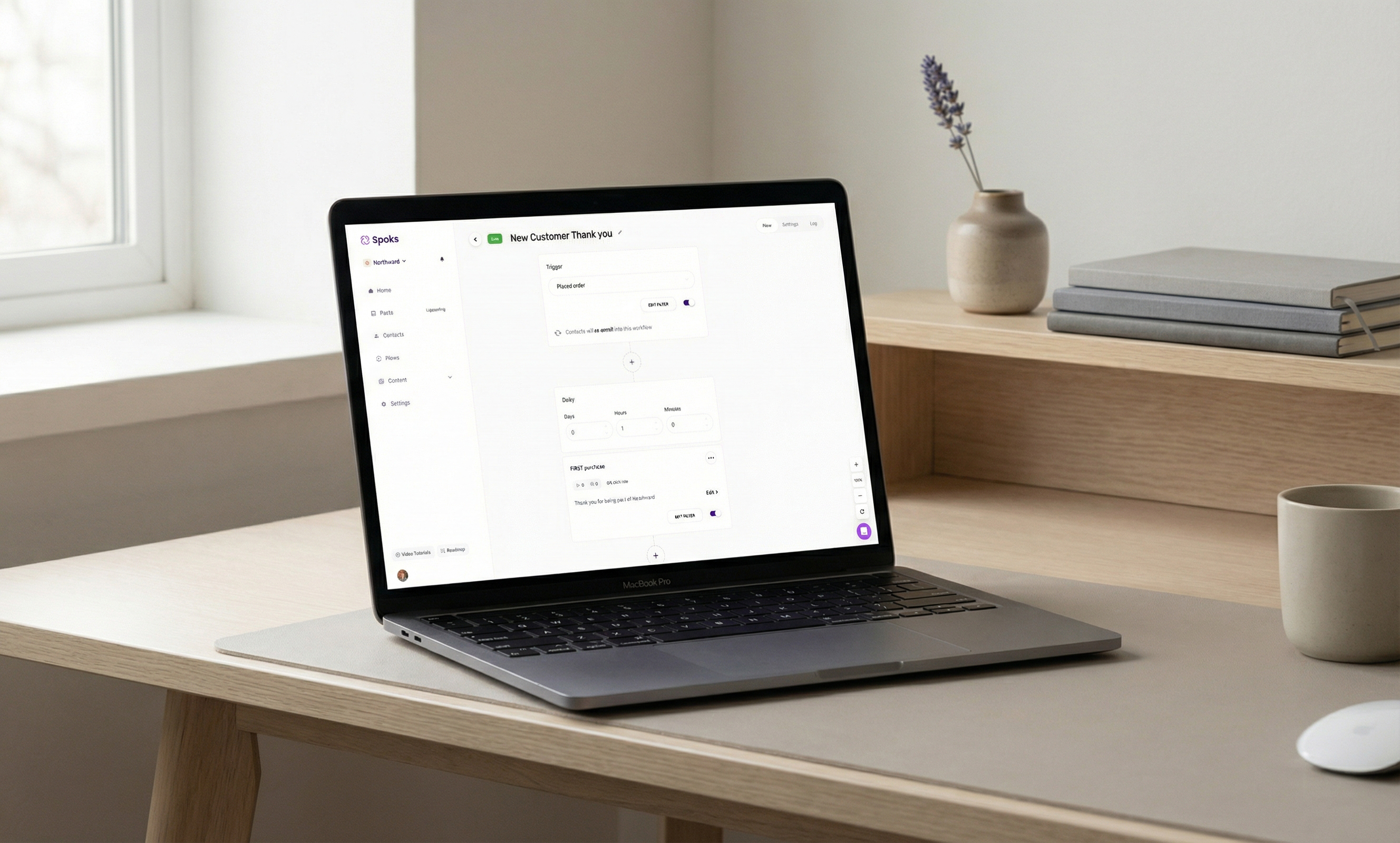
Cart abandonment is a fact of e-commerce life. The average Shopify store sees 65-75% of carts abandoned before checkout. An abandoned cart email flow recovers 5-15% of those lost sales — and for most stores, that adds up to thousands of dollars per month.
The timing of your abandoned cart emails matters enormously. Here's the sequence that works:
Email 1 — 1 hour after abandonment: This is your highest-converting touchpoint. The purchase intent is still fresh. Keep the email simple: show them exactly what they left behind, include a product image and price, and link directly back to their cart. No discount yet — many people just got distracted and need a reminder. Subject line: "Did you forget something?" or "Your cart is waiting."
Email 2 — 24 hours after abandonment: If the first email didn't convert, introduce a soft incentive. Free shipping works better than a percentage discount here because it removes a friction point rather than devaluing the product. Include customer reviews for the abandoned products.
Email 3 — 72 hours after abandonment: Final attempt. This is where you can offer a discount (5-10%) if margins allow. Create urgency: "Your cart expires soon" or "Low stock alert." If this email doesn't convert, move them to your regular nurture sequence instead.
Key tip: exclude customers who purchased since abandoning — nothing kills trust faster than a "come back to your cart" email after they already bought.
3. Post-Purchase Follow-Up
The post-purchase sequence is where you turn one-time buyers into repeat customers. Most Shopify stores completely ignore this flow, which is a mistake because acquiring a new customer costs 5-7x more than retaining an existing one.
Email 1 — Order confirmation (immediate): This is transactional, but don't waste it. Confirm the order details, set delivery expectations, and include a subtle cross-sell: "Customers who bought [Product X] also love [Product Y]." Order confirmation emails have 60-70% open rates — the highest of any email type.
Email 2 — Shipping confirmation (when shipped): Provide tracking information and set arrival expectations. Include a note about your return policy to reduce post-purchase anxiety.
Email 3 — Product education (3-5 days after delivery): Help them get the most out of their purchase. Share usage tips, care instructions, or styling ideas. This reduces returns and increases satisfaction. It's also a natural place to link to related products.
Email 4 — Review request (7-14 days after delivery): Ask for a product review. Make it easy — include a direct link or an embedded rating widget in the email. Reviews drive future conversions, and asking at the right time (after they've used the product but while it's still fresh) maximizes response rates.
Email 5 — Cross-sell/upsell (21-30 days after delivery): Recommend complementary products based on what they purchased. Personalize these recommendations using purchase data from your Shopify store.
4. Win-Back Campaign
Customers go dormant. Life gets busy, they find other brands, or they simply forget about your store. A win-back campaign re-engages these lapsed customers before they're gone for good.
Set up time-based triggers at these intervals:
30 days since last purchase: A gentle check-in. "We miss you" messaging with new arrivals or bestsellers. No discount needed yet — just remind them you exist and show them something fresh.
60 days since last purchase: Escalate the offer. Share a "welcome back" incentive — 10-15% off or free shipping on their next order. Include their previous purchase category to keep recommendations relevant.
90 days since last purchase: This is your last serious attempt. Make it your best offer: "We want you back — here's 20% off everything." If they don't engage with this email, suppress them from your active list to protect deliverability.
Win-back campaigns typically recover 3-8% of lapsed customers. That number sounds modest, but those are customers you would have lost entirely — every recovered customer improves your customer lifetime value.
5. Browse Abandonment
Browse abandonment emails target people who viewed products on your store but didn't add anything to their cart. These emails work best for stores with moderate to high traffic and a catalog of at least 20-30 products.
Targeting tips:
- Only trigger for subscribers who viewed a product page 2+ times or spent more than 30 seconds on a product page — this filters out casual browsers
- Limit frequency to once per week per subscriber to avoid feeling invasive
- Exclude anyone who has an active abandoned cart flow running (abandoned cart takes priority)
- Include 2-3 product recommendations alongside the viewed product to offer alternatives
Browse abandonment typically converts at 1-3% — lower than cart abandonment but still meaningful because the volume is much higher. Most Shopify stores have far more browsers than cart creators.
Choosing Your Email Platform
Your choice of email marketing platform shapes everything: which automations you can build, how deeply you can segment, and how much you'll pay as your store grows. The Shopify App Store has dozens of options, but the serious contenders come down to a handful of platforms that integrate natively with Shopify's data layer.
We've published detailed breakdowns of the most popular options: our guide to the best email marketing apps for Shopify covers the full landscape, and we've written in-depth comparisons including Omnisend vs Klaviyo, Klaviyo vs Mailchimp, and a thorough Klaviyo review. If budget is your primary concern, check out our Klaviyo pricing breakdown and Klaviyo alternatives roundup.
When evaluating platforms, prioritize these criteria for Shopify stores specifically: native Shopify integration (real-time order and product sync, not just a basic connection), pre-built automation templates for e-commerce flows, revenue attribution reporting, and scalable pricing that won't punish you for growing your list. If you want a platform built specifically for Shopify with flat $35/month pricing regardless of list size, Spoks is designed for stores that want powerful automations without per-contact cost scaling — you can see how it compares to Klaviyo and Omnisend.
Building Your Email List on Shopify
Your email program is only as strong as your list. A large list of unengaged subscribers is worse than a small list of buyers and genuine prospects. Here's how to grow your Shopify email list with quality subscribers.
Pop-Up Best Practices
Pop-ups remain the highest-converting list-building tool for Shopify stores, averaging 3-5% conversion rates when executed well. The key is respecting the visitor experience while making a compelling offer.
Timing: Don't fire a pop-up the instant someone lands on your site. Wait 5-15 seconds to let them orient themselves, or use exit-intent triggers that detect when someone is about to leave. For mobile visitors, a scroll-based trigger (fire after 50% page scroll) works better than time delays because browsing pace is different.
The offer: A 10-15% discount on the first order is the standard for a reason — it works. If you can't discount, offer free shipping, early access to new products, or a free guide related to your niche. The offer needs to feel valuable enough to hand over an email address.
Design: Mobile-first, always. Over 60% of Shopify traffic comes from mobile devices. Your pop-up should be a full-screen takeover on mobile (easier to read and interact with) and a centered modal on desktop. Use one input field (email only) and one CTA button. Every additional field reduces conversions by 10-15%.
Frequency capping: Show the pop-up once per session, and don't show it again for at least 14 days if someone dismisses it. Nothing drives visitors away faster than aggressive, repeated pop-ups.
Embedded Forms
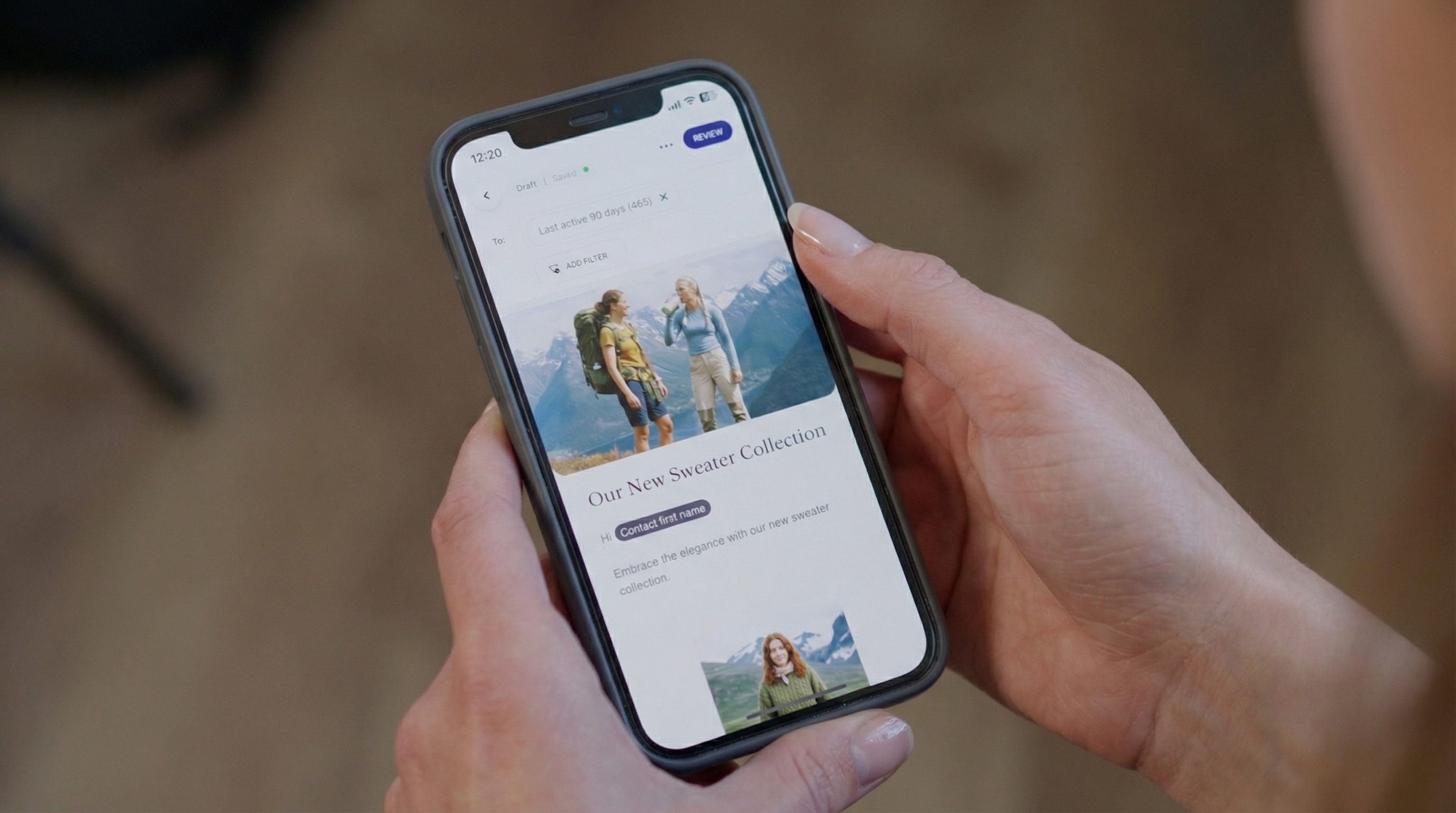
Embedded forms are always-on list builders that live permanently on your pages. They convert at lower rates than pop-ups (typically 0.5-1.5%) but capture subscribers consistently without any interruption.
Place embedded forms in these locations:
- Footer of every page — the standard location visitors look when they want to subscribe
- Blog/content pages — inline forms between content sections capture readers who are already engaged
- Product pages — a "Get notified about restocks and sales" form works particularly well for out-of-stock or seasonal products
- About page — visitors reading your about page are already interested in your brand, making them prime signup candidates
Checkout Opt-In Optimization
Your Shopify checkout is one of the highest-intent touchpoints on your entire site. Every customer passing through checkout has their email in the form already — you just need their permission to market to them.
Enable the marketing consent checkbox in your Shopify checkout settings (Settings > Checkout > Marketing Consent). Customize the checkbox label to emphasize value rather than just "Subscribe to our newsletter." Something like "Get exclusive deals, early access, and 10% off your next order" converts significantly better than a generic opt-in.
For Shopify Plus stores, you can customize the checkout further with scripts and additional opt-in points. Even on standard Shopify, checkout opt-ins typically capture 20-30% of customers for your marketing list.
Landing Pages
Dedicated landing pages work best for paid traffic campaigns and specific promotions. Instead of sending ad traffic to your homepage (where visitors can wander in any direction), send them to a focused landing page with a single goal: collect their email.
Effective landing pages for list building include:
- Giveaway pages — partner with complementary brands to offer a high-value prize in exchange for email signups
- Quiz pages — "Find your perfect [product]" quizzes that require an email to see results
- Early access pages — pre-launch or limited drop signups that build urgency and exclusivity
- Content offer pages — free guides, lookbooks, or resources in exchange for email
Segmentation Strategies for Shopify Stores
Sending the same email to your entire list is the most common mistake in email marketing for Shopify stores. Segmented campaigns generate 2-3x more revenue per recipient than unsegmented blasts. Here's how to segment effectively using data your Shopify store already collects.
By Purchase Behavior
First-time buyers: These customers have taken the biggest leap — going from prospect to buyer. Your goal is getting them to purchase a second time, which is the single most predictive action for long-term retention. Send them post-purchase education, review requests, and targeted cross-sells based on their first purchase.
Repeat buyers (2-3 purchases): These are your developing loyalists. They've proven willingness to buy again. Reward them with early access to new products, loyalty perks, or referral incentives. Focus on increasing their average order value.
VIP customers (4+ purchases or top 10% by revenue): Your most valuable segment. Treat them differently than everyone else. Give them genuine exclusivity: first access to sales, behind-the-scenes content, VIP-only products, or handwritten thank-you notes. The revenue gap between a VIP and an average customer is typically 8-10x.
By Engagement Level
Active subscribers (opened or clicked in the last 30 days): These are your warmest contacts. They should receive your full campaign cadence — new product launches, content, promotions, everything.
At-risk subscribers (no opens in 30-60 days): Send re-engagement content. Try different subject line styles, different send times, or different content formats. A "We miss you" campaign with a special offer can pull 5-10% of this segment back to active status.
Dormant subscribers (no opens in 60-90+ days): Move these contacts into a sunset flow. Send 2-3 final re-engagement attempts, and if they don't respond, suppress them from your active sending list. Continuing to email unengaged subscribers hurts your deliverability and wastes money if you're on a per-contact plan.
By Product Interest
Use Shopify browsing and purchase data to segment by category interest:
- Category browsers — people who've viewed 3+ products in a specific category get targeted emails when you launch new products or run promotions in that category
- Wishlist or save-for-later users — if your store has wishlist functionality, trigger price-drop or back-in-stock alerts
- Complementary buyers — customers who purchased Product A and typically also buy Product B (use Shopify's order data to identify these patterns)
By Customer Lifetime Value
Not all customers are equal, and your email strategy should reflect that.
Top 10% by CLV: These customers deserve your best offers, earliest access, and most personal communication. The cost of losing one of these customers is enormous.
Middle 60% by CLV: Your bread and butter. Focus on moving them up: increasing purchase frequency, average order value, and engagement. Standard promotional cadence with smart cross-sells.
Bottom 30% by CLV: Typically one-time discount buyers or low-AOV customers. Don't over-invest in heavy discounting to this segment — it attracts the wrong behavior. Focus on value-driven content and product education instead.
Email Design Best Practices for E-Commerce
Design directly impacts whether your emails get read and clicked. Here are the principles that matter most for Shopify store emails.
Mobile-First Design
Over 60% of email opens happen on mobile devices, and for most Shopify stores that number is closer to 65-70%. If your emails aren't designed for mobile first, you're building for the minority of your audience.
Mobile-first email design means:
- Single-column layouts — multi-column designs break on small screens
- Minimum 16px body text — anything smaller is unreadable without pinch-zooming
- Tap-friendly buttons — minimum 44x44px touch target, ideally full-width on mobile
- Concise copy — mobile readers skim. Get to the point in the first 2-3 lines
- Compressed images — aim for under 200KB per image to ensure fast loading on cellular connections
Product Image Optimization
Product images are the centerpiece of most e-commerce emails. Optimize them for email specifically:
- Use lifestyle images (product in context) rather than plain white-background shots for hero images — they generate 20-30% higher click-through rates
- Include 2-4 product images maximum per email. More than that creates decision fatigue and reduces clicks
- Always include alt text for every image. Many email clients block images by default, and your alt text is the fallback
- Maintain a consistent image aspect ratio across your emails for a polished, professional look
CTA Placement
One primary CTA above the fold. This is the most important design rule in e-commerce email. Your main call-to-action — "Shop Now," "Claim Your Discount," "See New Arrivals" — should be visible without scrolling.
Secondary CTAs can appear below the fold for specific product recommendations or categories, but don't compete with your primary CTA. Use visual hierarchy: make the primary button larger, bolder, and in your brand's accent color. Secondary links can be text links or smaller buttons.
Button text matters: "Shop the Collection" outperforms generic "Click Here" by 15-20% in most tests. Be specific about what happens when they click.
Brand Consistency
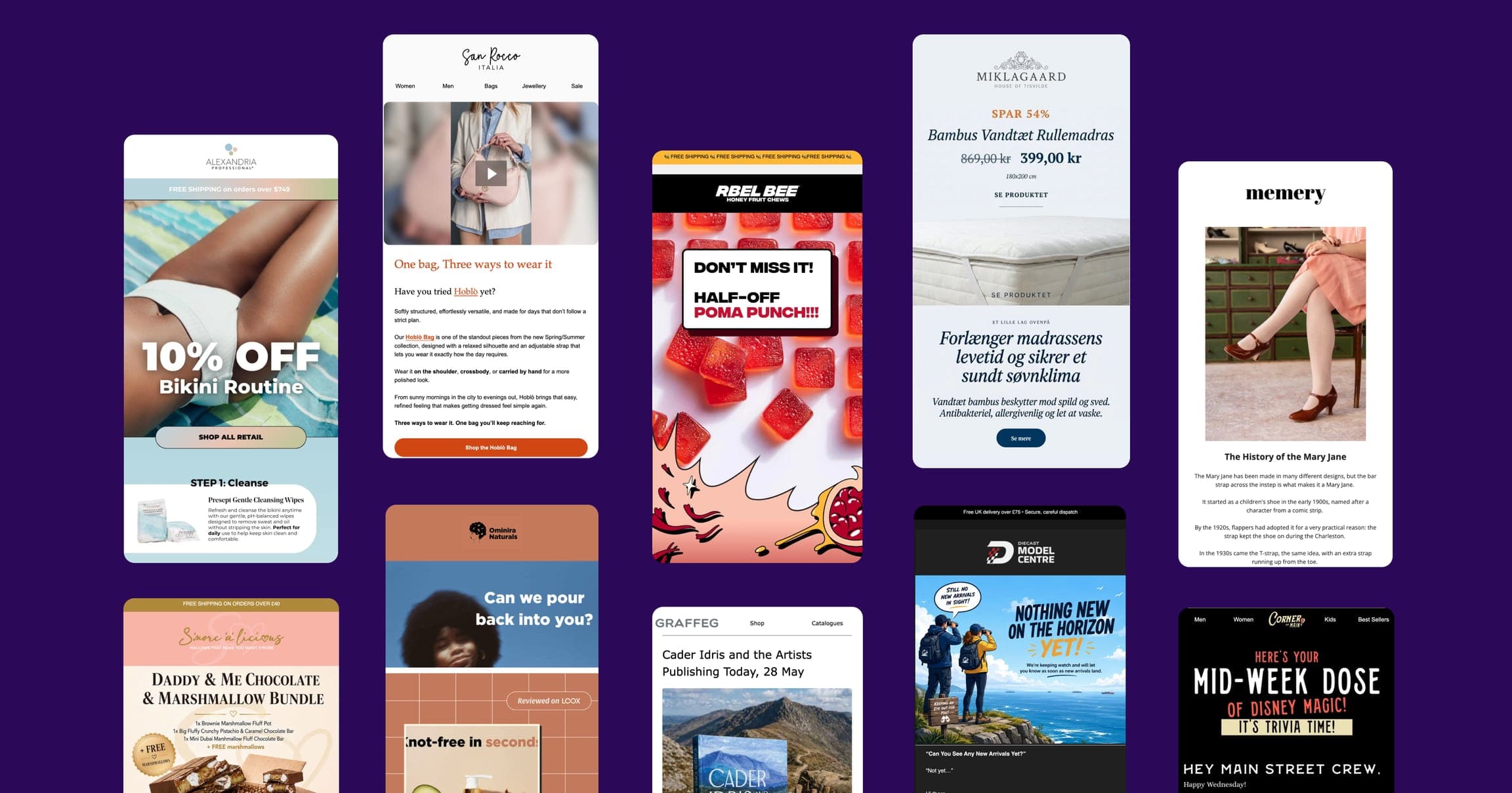
Your emails should look and feel like an extension of your Shopify store. Use the same logo, color palette, typography, and photography style. A subscriber should be able to identify your email before reading a single word.
Create a reusable email template that matches your store's visual identity. Most email platforms let you save a master template that you clone for each campaign. This saves design time and ensures consistency.
Advanced Strategies
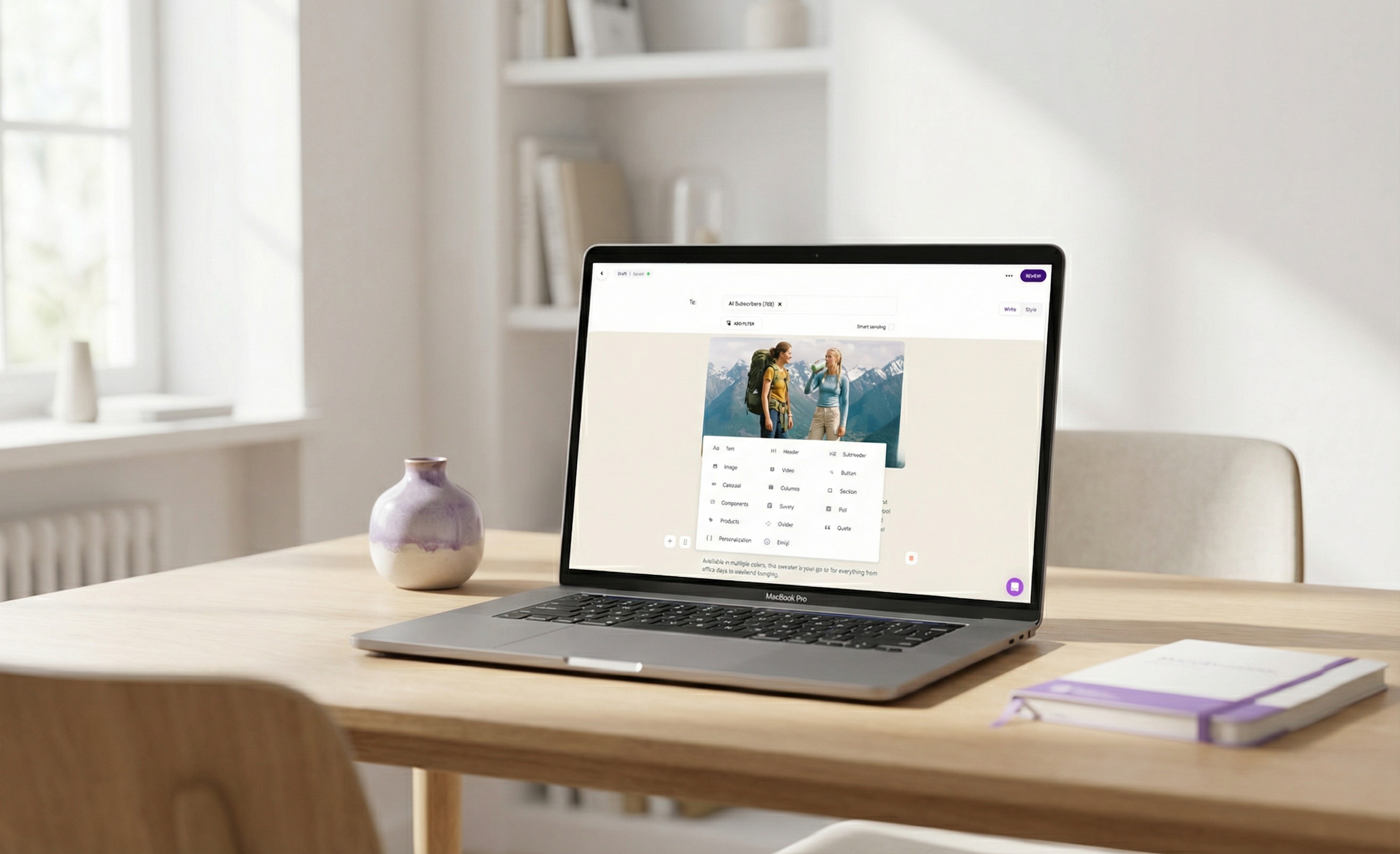
Once your foundational flows and segments are running, these advanced tactics can push your email program from good to exceptional.
SMS + Email Integration
SMS marketing is no longer optional for Shopify stores doing serious volume. Text messages have 98% open rates and 30%+ click-through rates — dramatically higher than email. But SMS works best as a complement to email, not a replacement.
When to use SMS vs. email:
- SMS: Flash sales, limited-time offers, shipping updates, back-in-stock alerts, cart abandonment (as a second touchpoint)
- Email: Brand storytelling, product launches, educational content, newsletters, detailed promotions
- Both: Major sales events (Black Friday, product drops), VIP-only access, re-engagement campaigns
Key rules for SMS:
- Always get explicit opt-in (separate from email consent)
- Limit to 4-6 texts per month — SMS fatigue is real and unsubscribes are expensive
- Include an easy opt-out in every message (legally required)
- Send during business hours only (10am-8pm in the customer's timezone)
Most email platforms for Shopify now include SMS capabilities. Using a single platform for both channels lets you coordinate messaging and avoid overlap — for example, suppressing the email version of an abandoned cart message if the SMS already converted.
Personalized Product Recommendations
Dynamic product recommendations powered by Shopify purchase and browsing data can lift email revenue by 10-30%. The key categories of recommendations:
- Recently viewed — remind subscribers of products they browsed but didn't buy
- Frequently bought together — cross-sell items commonly purchased alongside their last order
- New in their favorite category — alert subscribers when you add products in categories they've shown interest in
- Trending products — leverage social proof by showing what's popular with customers like them
The more purchase data your Shopify store collects, the more powerful personalized recommendations become. Stores with 6+ months of order history see the best results from recommendation engines.
A/B Testing Framework
Consistent A/B testing is how you compound email performance improvements over time. But testing everything at once tells you nothing. Follow this priority order:
Phase 1 — Subject lines (test first): Subject lines have the largest single impact on performance. Test two variations per campaign, with a 20% holdout group, for at least 2-4 weeks. Test one variable at a time: length (short vs. long), personalization (name vs. no name), emoji (with vs. without), urgency (time-limited vs. evergreen).
Phase 2 — Send times (test second): Once you have optimized subject lines, test send times. Compare morning (8-10am) vs. afternoon (1-3pm) vs. evening (7-9pm). Results vary widely by audience — there's no universal "best time." Run these tests over 3-4 weeks to account for day-of-week variation.
Phase 3 — Content and design (test last): With subject lines and timing optimized, test email content: long-form vs. short-form, number of products featured, CTA button color and text, image-heavy vs. text-heavy layouts. These tests require larger sample sizes to reach statistical significance, so only run them once your list is large enough (1,000+ recipients per variant, minimum).
A/B testing rules:
- Only test one variable at a time
- Run tests for at least 7 days (ideally 14) to avoid day-of-week bias
- Wait for 95% statistical significance before declaring a winner
- Document every test and result so you build institutional knowledge
Deliverability Optimization
None of your email marketing efforts matter if your messages land in spam. Deliverability is the invisible foundation of every successful email program.
Authentication (do this immediately):
- Set up SPF, DKIM, and DMARC records for your sending domain. Most email platforms walk you through this, but verify they're configured correctly using a tool like MXToolbox
- Use a custom sending domain (newsletters@yourbrand.com) rather than a shared platform domain. This builds your own domain reputation
List hygiene:
- Remove hard bounces immediately (most platforms do this automatically)
- Suppress subscribers who haven't opened in 90+ days
- Run your list through an email verification service annually to catch invalid addresses
- Never purchase or rent email lists — this is the fastest way to destroy deliverability
Engagement-based sending:
- Send more frequently to engaged subscribers and less frequently to unengaged ones
- Start new subscriber relationships with your best content to establish positive engagement signals
- Warm up gradually if you're switching platforms or sending from a new domain (start at 500/day and increase by 20-30% daily)
Content practices:
- Avoid spam trigger words in subject lines ("FREE!!!," "Act now," "Limited time offer" in all caps)
- Maintain a healthy text-to-image ratio (at least 40% text)
- Include a plain text version of every email
- Make your unsubscribe link easy to find — a frustrated subscriber who can't unsubscribe will mark you as spam instead
Measuring Success: Key Metrics and Benchmarks
Data-driven decisions separate profitable email programs from those running on guesswork. Here are the metrics that matter, what "good" looks like, and how to improve each one.
Open Rate
E-commerce benchmark: 15-25%
Open rate tells you whether your subject lines and sender reputation are working. Keep in mind that Apple's Mail Privacy Protection (introduced in iOS 15) inflates open rates by pre-loading tracking pixels. Treat open rate as a directional metric, not an exact number.
How to improve: Test subject lines relentlessly. Personalize with the subscriber's name or location. Send at optimal times for your audience. Clean your list of chronically unengaged subscribers (which artificially lowers your open rate).
Click-Through Rate (CTR)
E-commerce benchmark: 2-5%
CTR measures whether your email content and design are compelling enough to drive action. This is a more reliable metric than open rate because clicks are unaffected by privacy features.
How to improve: Use a clear, single primary CTA above the fold. Make your CTA buttons large and descriptive ("Shop the Sale" not "Click Here"). Segment your emails so the content is relevant to the recipient. Include engaging product images.
Revenue Per Email (RPE)
E-commerce benchmark: $0.08-$0.15 per email sent
RPE is the metric that connects your email program directly to business outcomes. Calculate it by dividing total email-attributed revenue by total emails sent over a given period.
How to improve: Focus on segmentation (send more relevant offers), optimize your automated flows (where most email revenue is generated), and improve your product recommendations. A store sending 50,000 emails/month at $0.10 RPE generates $5,000/month from email. Moving that to $0.15 RPE adds $2,500/month without sending a single additional email.
List Growth Rate
Target: 3-5% net monthly growth
List growth rate accounts for new subscribers minus unsubscribes and bounces. A healthy list grows steadily. If your growth is flat or negative, you're losing subscribers faster than you're acquiring them — which means your list will shrink to zero over time.
How to improve: Optimize your pop-ups and embedded forms (see the list-building section above). Add new signup touchpoints. Run co-marketing campaigns with complementary brands. Make sure your email content is good enough that people don't unsubscribe.
Other Metrics Worth Tracking
- Unsubscribe rate: Keep below 0.3% per campaign. Above 0.5% signals content or frequency problems
- Spam complaint rate: Must stay below 0.1%. Above this threshold, inbox providers will start filtering your emails
- Conversion rate: 1-5% from email click to purchase, depending on product price point and funnel
- Revenue per flow: Track each automated flow's revenue contribution independently. Your abandoned cart flow alone should generate 3-8% of total store revenue
Common Mistakes Shopify Stores Make with Email Marketing
After reviewing hundreds of Shopify email programs, these are the mistakes that come up again and again.
1. Not Setting Up Automations Before Campaigns
Many store owners start by sending one-off campaigns (newsletters, sale announcements) without any automated flows in place. This is backwards. Your automated flows — welcome series, abandoned cart, post-purchase — should be live before you send your first campaign. Automations generate steady baseline revenue. Campaigns add peaks on top.
2. Emailing Everyone the Same Content
Sending every email to your entire list is lazy and expensive. Your VIP customer who's bought 10 times shouldn't receive the same "10% off your first order" email as someone who signed up yesterday. Segment from day one, even if it's just "has purchased" vs. "has not purchased."
3. Ignoring Mobile
If 65%+ of your subscribers read email on their phones and your emails look broken on mobile, you're wasting most of your sends. Preview every email on a mobile device before sending. Use single-column layouts, large text, and tap-friendly buttons.
4. Over-Discounting
Constant discounting trains customers to never pay full price. If every email includes a discount code, subscribers will wait for the next code before buying. Use discounts strategically — in welcome flows, win-back campaigns, and major events. Fill the rest of your calendar with value-driven content, new arrivals, and social proof.
5. Neglecting List Hygiene
A 50,000-subscriber list with 30% unengaged contacts is not a 50,000-subscriber list. It's a 35,000-subscriber list with 15,000 anchors dragging down your deliverability. Regularly clean your list: suppress chronically unengaged subscribers, remove invalid emails, and run a sunset flow for inactive contacts.
6. Not Tracking Revenue Attribution
If you don't know which emails are generating revenue and which are noise, you can't optimize anything. Set up proper revenue attribution in your email platform and track revenue per flow, per campaign, and per segment. Review these numbers monthly at minimum.
7. Sending Without a Clear Goal
Every email should have one primary goal: drive a purchase, collect a review, educate about a product, or re-engage a lapsed customer. Emails that try to do everything — announce a sale, tell your brand story, introduce a new collection, AND ask for a review — accomplish nothing. One email, one goal, one primary CTA.
FAQ: Shopify Email Marketing
How much does email marketing cost for a Shopify store?
Costs vary widely depending on the platform and your list size. Shopify Email (the built-in option) is free for the first 10,000 emails per month and $1 per additional 1,000 emails. Third-party platforms like Klaviyo start at $20/month for 500 contacts and scale up to $400+/month at 25,000 contacts. Omnisend starts at $16/month. Some platforms like Spoks offer flat pricing at $35/month regardless of list size. For a detailed cost comparison, see our Klaviyo pricing breakdown and best email marketing apps for Shopify guides.
What is the best email marketing app for Shopify?
It depends on your store's size, budget, and needs. Klaviyo is the most popular choice for data-driven stores willing to pay a premium for advanced analytics. Omnisend is a strong value pick for growing stores. Shopify Email works for basic needs. For a detailed comparison, read our best email marketing for Shopify guide and our head-to-head comparisons of Omnisend vs Klaviyo and Klaviyo vs Mailchimp.
How many emails should I send per week?
For most Shopify stores, 2-3 campaigns per week is the sweet spot, in addition to your automated flows. Engaged subscribers can handle more frequent communication. New or smaller lists should start with 1-2 per week and increase gradually while monitoring unsubscribe rates. If your unsubscribe rate stays below 0.3% per send, you have room to increase frequency.
When is the best time to send marketing emails for e-commerce?
There is no universal best time — it varies by audience. However, broadly effective windows for e-commerce emails are Tuesday through Thursday, between 10am-12pm or 7pm-9pm in your customers' local timezone. The only way to find your optimal send time is to A/B test across different days and times for at least 3-4 weeks.
How do I avoid my Shopify emails going to spam?
Authenticate your sending domain with SPF, DKIM, and DMARC records. Maintain good list hygiene by removing hard bounces and suppressing unengaged subscribers. Avoid spam trigger words and excessive punctuation in subject lines. Keep your text-to-image ratio healthy (40%+ text). Make your unsubscribe link easy to find. And most importantly, only email people who have explicitly opted in to receive marketing from you.
Should I use Shopify Email or a third-party app?
Shopify Email is fine for stores just getting started with email marketing — it handles basic campaigns and is tightly integrated with your store. However, it lacks the advanced automation, segmentation, and analytics that drive serious email revenue. Most stores outgrow Shopify Email once they pass $10K/month in revenue and need multi-step automations, dynamic segmentation, and detailed revenue attribution. See our guide to the best email marketing apps for Shopify for a full breakdown.
Is SMS marketing worth adding to my Shopify email program?
Yes, for most Shopify stores doing $25K+/month in revenue. SMS generates immediate engagement (98% open rates, most read within 3 minutes), and works especially well for time-sensitive offers, back-in-stock alerts, and abandoned cart recovery. The key is using SMS as a complement to email, not a replacement. Start with 2-4 SMS campaigns per month alongside your email program and measure the incremental revenue.
What open rate should I expect from my Shopify email marketing?
The e-commerce average is 15-25% for campaign emails, though automated flows typically perform higher (welcome emails average 50-60%, abandoned cart emails average 40-50%). If your campaign open rates are consistently below 15%, focus on subject line testing, send time optimization, and list cleaning. Remember that Apple Mail Privacy Protection inflates open rates, so click-through rate is becoming a more reliable engagement metric.
Wrapping Up
Email marketing for Shopify isn't a "set and forget" channel — but it rewards consistency more than any other marketing effort. Start with the five essential flows. Build your list with intent. Segment ruthlessly. Test methodically. And measure everything.
The stores that generate 30-40% of their revenue from email didn't get there overnight. They built their programs brick by brick: one optimized flow, one cleaned segment, one A/B test at a time. The playbook in this guide gives you every piece you need.
If you're just getting started, set up your welcome series and abandoned cart flow this week. Those two automations alone will start generating revenue immediately. Everything else can follow.
For more specific guidance on choosing and optimizing your platform, explore our detailed comparisons: best email marketing for Shopify, Omnisend vs Klaviyo, Klaviyo vs Mailchimp, Klaviyo review, and Klaviyo alternatives for Shopify.