Browse Abandonment Email: A Shopify Guide to Setup, Timing, and Examples
A practical guide to browse abandonment email for Shopify stores: why the flow matters, how to set the trigger and timing, and real subject line and copy examples.

David Isak Hansen · Co-founder & CEO, Spoks
· Updated November 23, 2026
Quick answer
A browse abandonment email fires when someone looks at a product (or several) on your Shopify store and leaves without adding anything to a cart. It's a lower-intent trigger than cart or checkout abandonment, so the flow should feel like a nudge, not a sales pitch: one email, maybe two, product-led, no urgency language it hasn't earned yet.
The audience is bigger than most stores assume. Baymard Institute, an independent ecommerce research firm, found that 42% of US shoppers who abandon a cart cite "I was just browsing, not ready to buy" as the reason.
Still paying Klaviyo's monthly bill?
Spoks runs about 80% cheaper than Klaviyo for the same flows and campaigns.
Table of contents
Why a Browse Abandonment Email Earns Its Place
Most Shopify stores build a cart abandonment flow and stop there, on the assumption that someone who never added anything to their cart was never actually close to buying. That assumption doesn't hold up for a large share of shoppers.
Across its surveys of US online shoppers, Baymard found 42% cited "I was just browsing / not ready to buy" as a reason they'd abandoned a cart.1 That's not a checkout-friction problem that a better button or a free-shipping banner fixes. It's a timing problem: the interest was real, it just hadn't firmed up into a purchase decision yet.
A browse abandonment email exists to catch that exact moment and come back to it later, once the interest has had a chance to develop. It's a different job than cart abandonment, which recovers someone who already made a decision and got interrupted. Browse abandonment recovers someone who hadn't decided yet, and treating the two the same way is why a lot of browse abandonment campaigns underperform.
Browse Abandonment vs. Cart Abandonment
The two triggers fire at different points in a shopper's visit, and the copy that works for one usually falls flat on the other.
| Browse abandonment | Cart abandonment | |
|---|---|---|
| Trigger | Product viewed, nothing added to cart | Product added to cart, checkout not completed |
| Intent | Real, but unconfirmed | Confirmed, something specific stopped the purchase |
| Tone | Low-key reminder | Can carry real urgency |
| Discount | No, by default | Often, by the second or third touch |
A shopper who looked at one product and left doesn't need a countdown timer or a discount code. They need a reminder that the product exists and a reason to look again. Save the urgency and the markdown for the point where someone's shown they're actually close to buying, which our abandoned cart email guide covers in full.
Setting Up a Browse Abandonment Flow
The trigger is where most browse abandonment flows go wrong. "Someone viewed a product" sounds simple, but a flow that fires on every page view will email a shopper five times in ten minutes if they're comparing four products in one session.
A working trigger needs two conditions, not one:
- A minimum view threshold. Require an actual product view with some dwell time, not just a page load that happened because someone clicked back from checkout.
- A quiet period before sending. Wait a few hours of no further site activity before the flow fires, so the email isn't competing with the shopper's own active session.
Segment by what was actually viewed rather than just whether anyone viewed anything. A flow that pulls in the specific product the shopper looked at (or the specific collection, if they browsed broadly instead of fixating on one item) will outperform a generic "come back and shop" send every time.
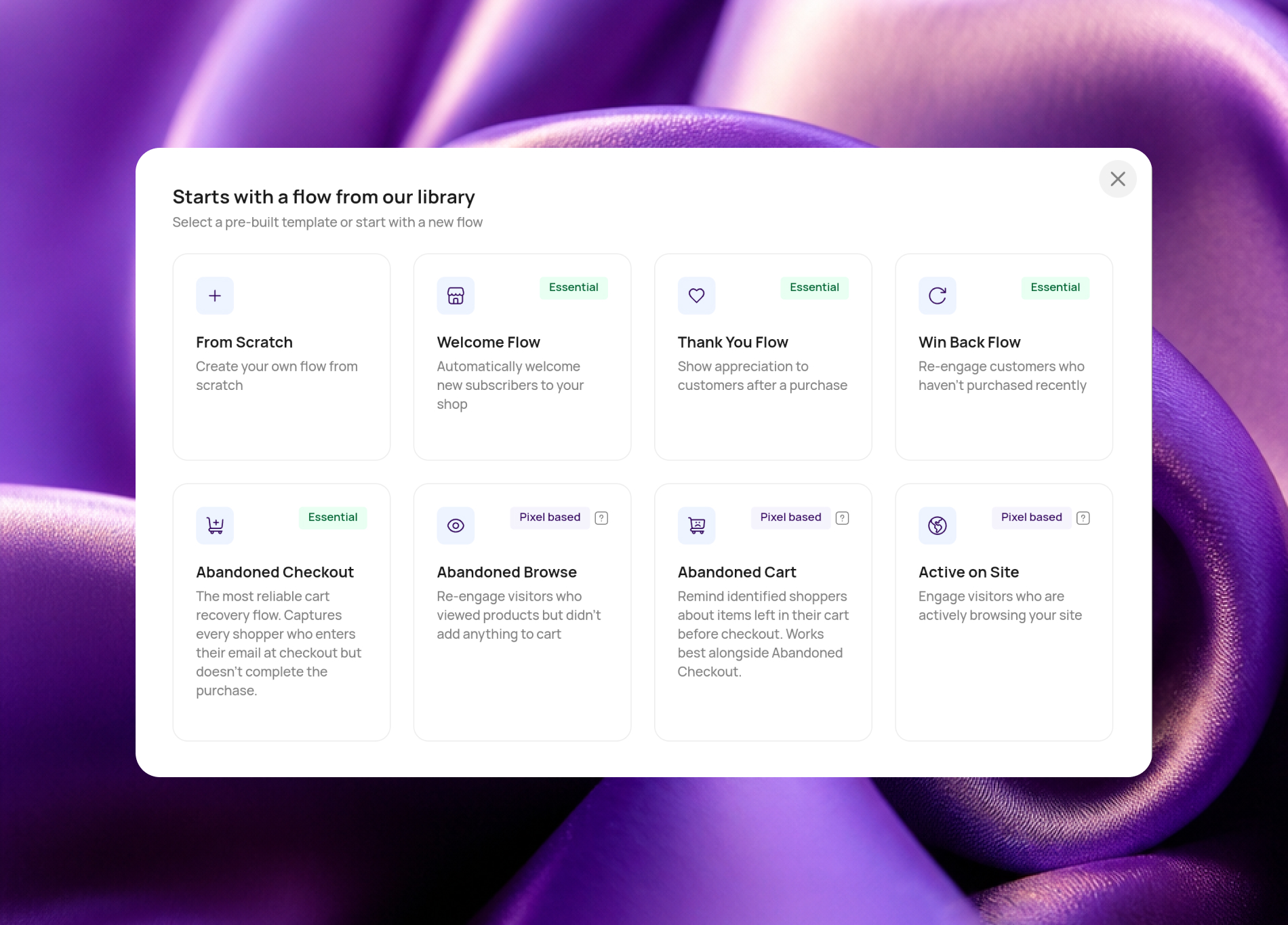
Spoks' flow library ships an Abandoned Browse template already built around this trigger, described right in the template picker as a way to "re-engage visitors who viewed products but didn't add anything to cart." It's tagged "Pixel based" there, meaning it runs off your store's on-site tracking rather than Shopify order data, so confirm that tracking is active before switching the flow on.
Exclude repeat buyers of the exact product from the flow, too. Someone restocking a consumable they've already bought three times doesn't need a nudge to go look at it again.
Timing: When to Send a Browse Abandonment Email
One email, sent four to twenty-four hours after the browsing session ends, covers most stores. A second email only earns its place if the first goes unopened and there's something new to say: the item back in stock, a price drop, or fresh reviews on the specific product.
Two emails is the ceiling. Past that, a browse abandonment flow starts annoying someone who never confirmed real intent in the first place, and that's a faster way to lose a subscriber than it is to recover a sale.
- Email 1, four to twenty-four hours after the last product view, not the first one: plain, product-led, no discount.
- Email 2 (optional), only on a new signal, same restraint on discounting.
See it before you switch
Get Started and your flows import automatically from Klaviyo, no manual rebuild needed.
Browse Abandonment Email Examples
Here's what that first email actually looks like in a subscriber's inbox, not just described in the abstract.
Email 1 · sent 4-24 hours after the last product view · no discount
Subject: Still thinking about the Canvas Weekender?
Hi Jordan, we noticed you checking out the Canvas Weekender. Here's a closer look in case you want it.
Canvas Weekender ($140)
See it again →
Email 2 (optional) · sent only on a new signal · still no discount
Subject: The Canvas Weekender just picked up 3 new reviews
"Holds up to daily commuting better than my last three bags combined." - verified buyer
See the reviews →
Keep both emails product-led. A browse abandonment email isn't the place for a sitewide discount code or a "shop our bestsellers" grid; it needs to read like it's responding to the specific thing the shopper looked at, or it lands as just another promotional blast that happened to arrive in their inbox.
If someone viewed several products in one session instead of fixating on one, lead with whichever had the longest dwell time if your platform tracks it, and show the rest in a short secondary row instead of giving every item equal weight.
Who Shouldn't Get This Flow
Stop the flow the moment someone adds the viewed product to their cart. At that point they've moved into cart abandonment territory, and a browse abandonment email landing right after would read as oddly behind the conversation.
Exclude anyone who's purchased the exact product recently, and debounce repeat visits to the same page within a short window so refreshing a product page a few times in one sitting doesn't trigger duplicate sends.
Low-traffic product pages are worth a second look before building this out. If a page gets a handful of views a month, the flow won't generate enough volume to be worth the setup time; put the effort into cart abandonment first and come back to browse abandonment once traffic picks up.
Measuring What the Flow Recovers
Open and click rates tell you whether the emails get seen, not whether the flow makes money. The number that matters is orders traced back to a specific send in the flow, the same way you'd measure any other automation.
Because intent is unconfirmed going in, expect a browse abandonment flow's recovered-revenue number to run lower than a cart abandonment flow's. That's expected, not a sign the flow isn't working. The right comparison is the flow against itself over time, not against a cart abandonment flow serving a warmer audience.
Browse abandonment works best as one piece of a broader lifecycle program rather than a flow running in isolation. If a product a shopper looked at later sells out, the back in stock email picks up the same window-shopping moment from a different angle: someone who wanted the product but couldn't buy it yet. And once a shopper actually commits to adding something to a cart, the cart abandonment flow covers the next step in line, with real urgency and discounting rules this one deliberately avoids.
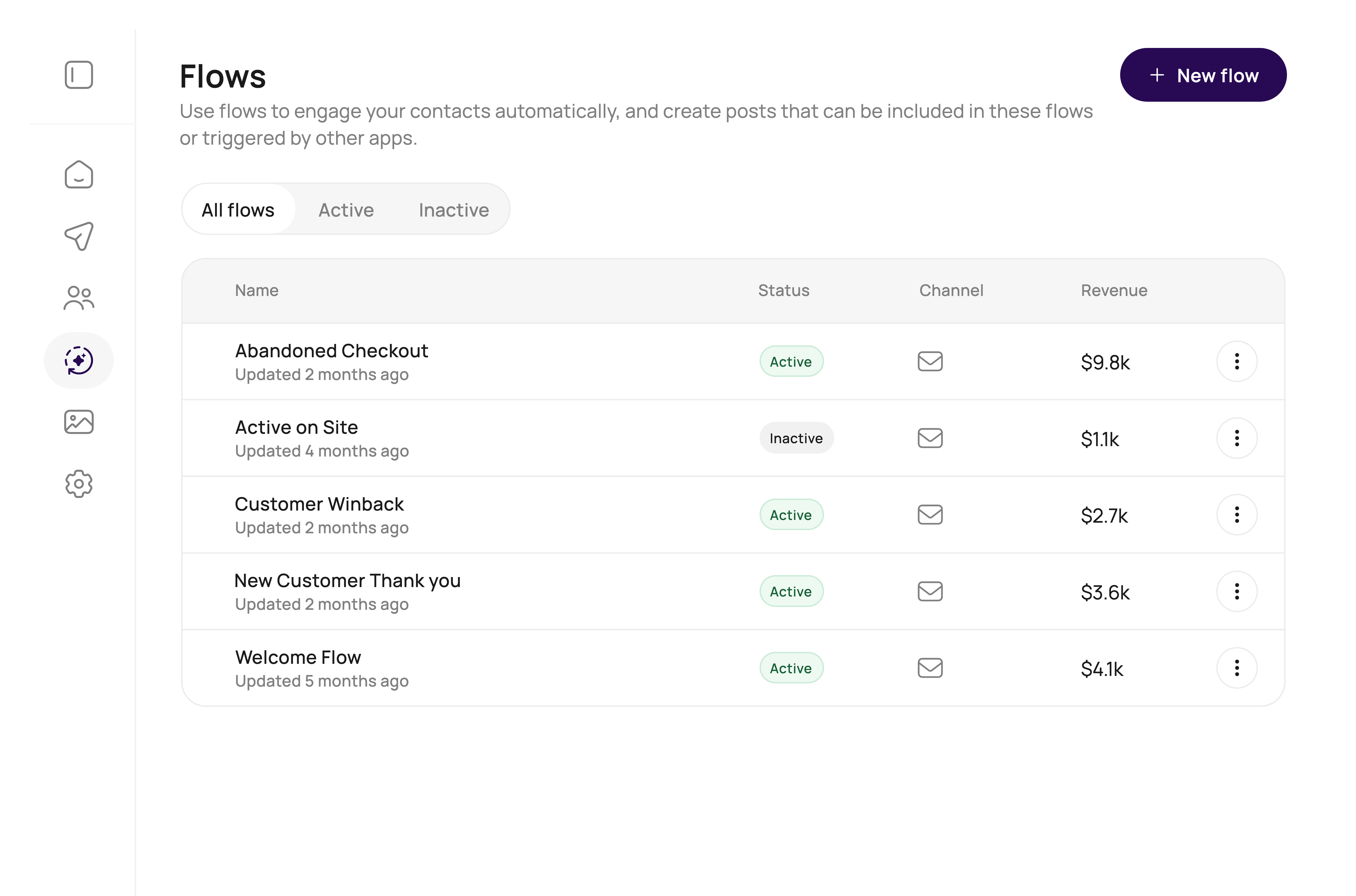
Spoks' flow builder runs Abandoned Browse alongside those other templates, with revenue tied back to the specific flow step that drove each order, so this flow's recovered revenue is directly comparable to any other automation you're running.
FAQ: Browse Abandonment Email
What triggers a browse abandonment email?
A shopper viewing a product page, or a few, without adding anything to a cart, combined with a quiet period afterward (typically a few hours of no further site activity) so the flow isn't firing mid-session. Most platforms let you set a minimum dwell time on the product page too, which filters out accidental or bounced page loads.
How many browse abandonment emails should I send?
One covers most stores, sent four to twenty-four hours after the last product view. A second email only earns a spot if the first goes unread and there's a genuinely new reason to reach out, like the item coming back in stock or picking up fresh reviews. More than two starts annoying an audience that never confirmed real buying intent.
Should a browse abandonment email include a discount?
No, not by default. Intent is unconfirmed at this stage, so opening with a discount trains shoppers to expect one just for looking at a product. Save the discount lever for cart or checkout abandonment, where someone has already shown they're close to buying.
Is browse abandonment worth building if I already have cart abandonment running?
Usually yes, once your product pages get meaningful traffic. Baymard puts "just browsing, not ready to buy" at 42% of abandonment reasons, so a cart abandonment flow alone only catches part of the audience that showed real interest. Build it as a second flow in Spoks' automated flows, not a replacement for cart abandonment.
Does Spoks support browse abandonment out of the box?
Yes. Spoks ships an Abandoned Browse template in its flow library, built on the same on-site tracking that powers its Active on Site flow, so the trigger is already configured when you start from the template instead of building it from scratch.
Sources
Sources
Footnotes
-
Baymard Institute, "Cart Abandonment Rate: 50 Statistics & Why People Abandon" (baymard.com/lists/cart-abandonment-rate): "our latest quantitative study of reasons for abandonment found that 42% of US online shoppers have abandoned a cart because 'I was just browsing / not ready to buy.'" Verified via direct fetch, November 23, 2026. ↩